
Setup guide
You are almost there. Let’s make your phone stop ringing quite so often.

Plug in the new hardware
Your current phone is not compatible with HeyUp: we have sent you a new one. It is very simple.
Plug the base unit into a power socket, then into your internet router with the Ethernet cable provided.
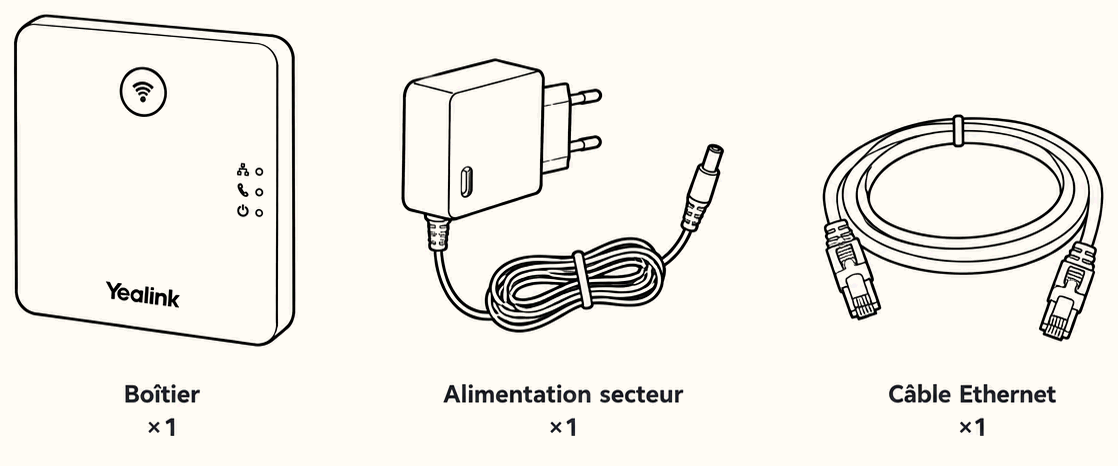
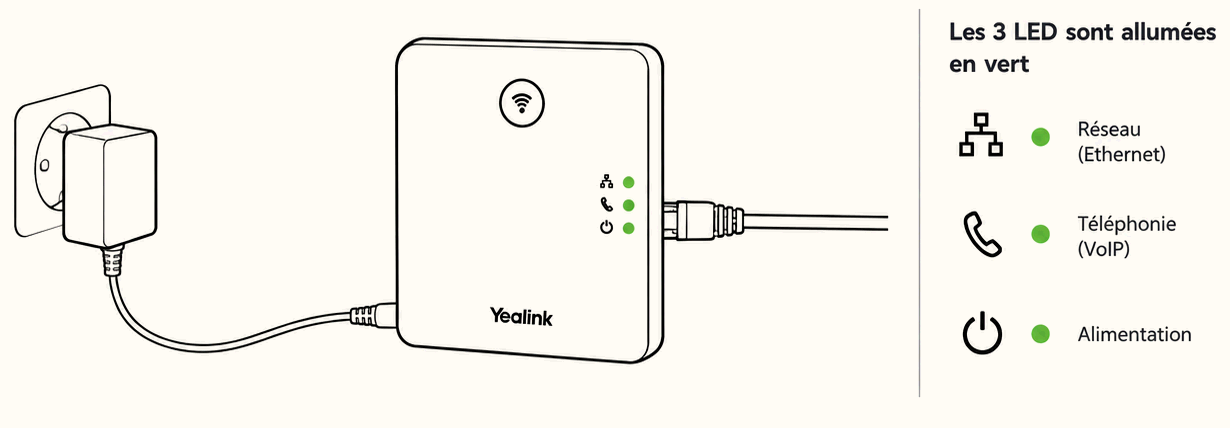
Plug the phone cradle into a power socket and put the battery in the handset.
The three lights turn green: everything is ready. Call your mobile from the new phone.
Keep your old phone and your old line: that is the line you will forward in step 3.
What is this phone for? For calling your customers, and for taking the calls your assistant puts through to you.
Call your assistant
Dial your assistant’s direct number, the one your HeyUp operator gave you.
Something sounds off? Call your HeyUp operator: they will fix it with you.
Switch on call forwarding
Your customers keep using the number they already know. All you do is forward your calls to your assistant’s direct number.
Dial this code from your old line, then press the call key. The exact code depends on your phone carrier: your HeyUp operator will confirm it. To cancel forwarding, dial ##21#.
Your assistant takes over. That’s it!
Frequently asked questions
Your assistant answers in your company’s name and speaks naturally. No menus, no scripts.
It takes a detailed message and sends it to you straight away, or puts the call through if you set it up that way.
Yes. Your customers keep calling the number they already know.
At any time. Switch off forwarding and calls come back to your line.
Ask your HeyUp operator, or do it yourself from your dashboard.
Check the power supply and the Ethernet cable, wait two minutes, and if nothing happens, call your HeyUp operator.